Connections
Link Instagram, a Facebook Page, or LinkedIn so posts can go live.
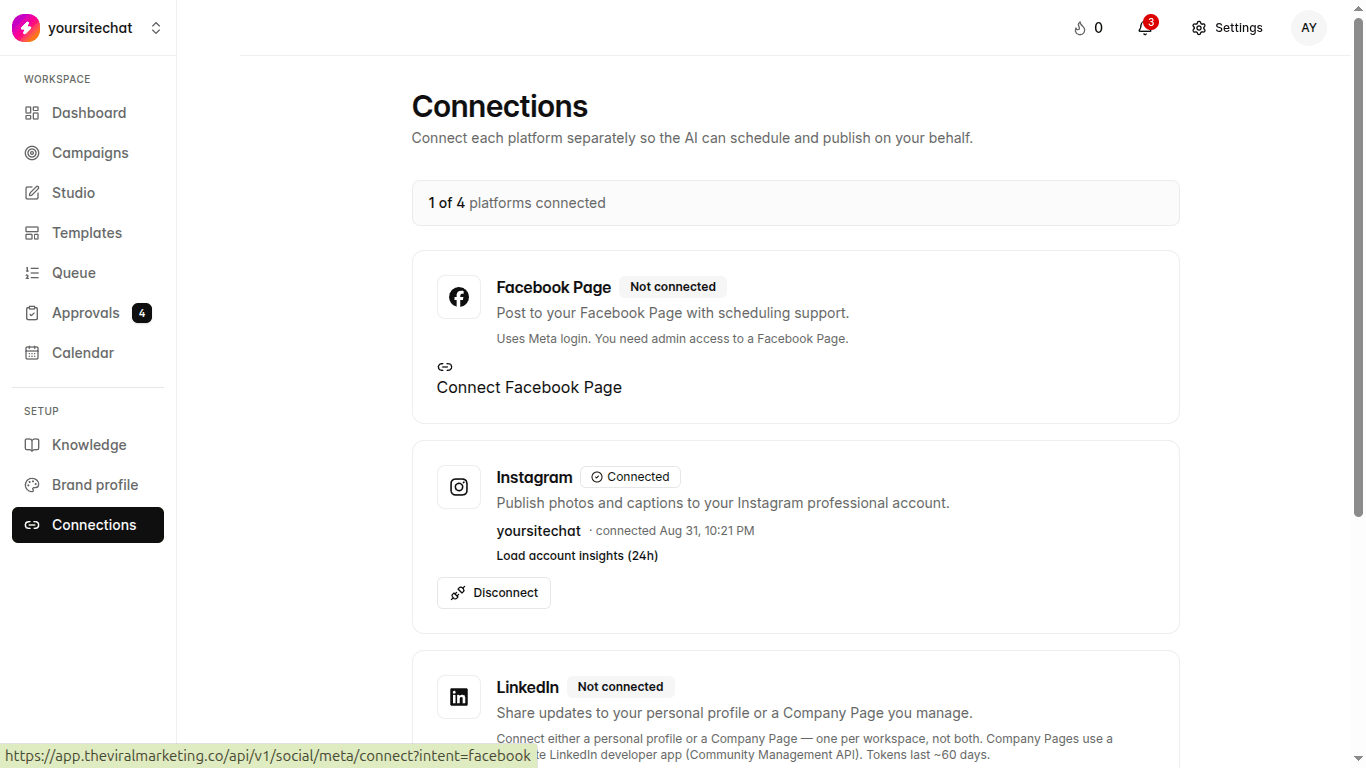
You are here: Left sidebar: Connections (also onboarding step 3)
A connection is the login that lets us publish. You can skip this during onboarding and come back. Drafts do not need it. Going live does.
When to use this
Before your first publish. One network is enough to start.
Steps
- 1
Open Connections
Left sidebar. You will see Instagram, Facebook, and LinkedIn.
- 2
Connect the account you post from
Facebook needs a Page, not only a personal profile. LinkedIn can be a profile or a Company Page, whichever you already use.
- 3
Stay in this workspace
Each organization has its own connections. Client A’s Instagram does not leak into Client B.
What happens if you skip it
If you skip this, you can still write and design. Publish buttons will wait.