Campaigns
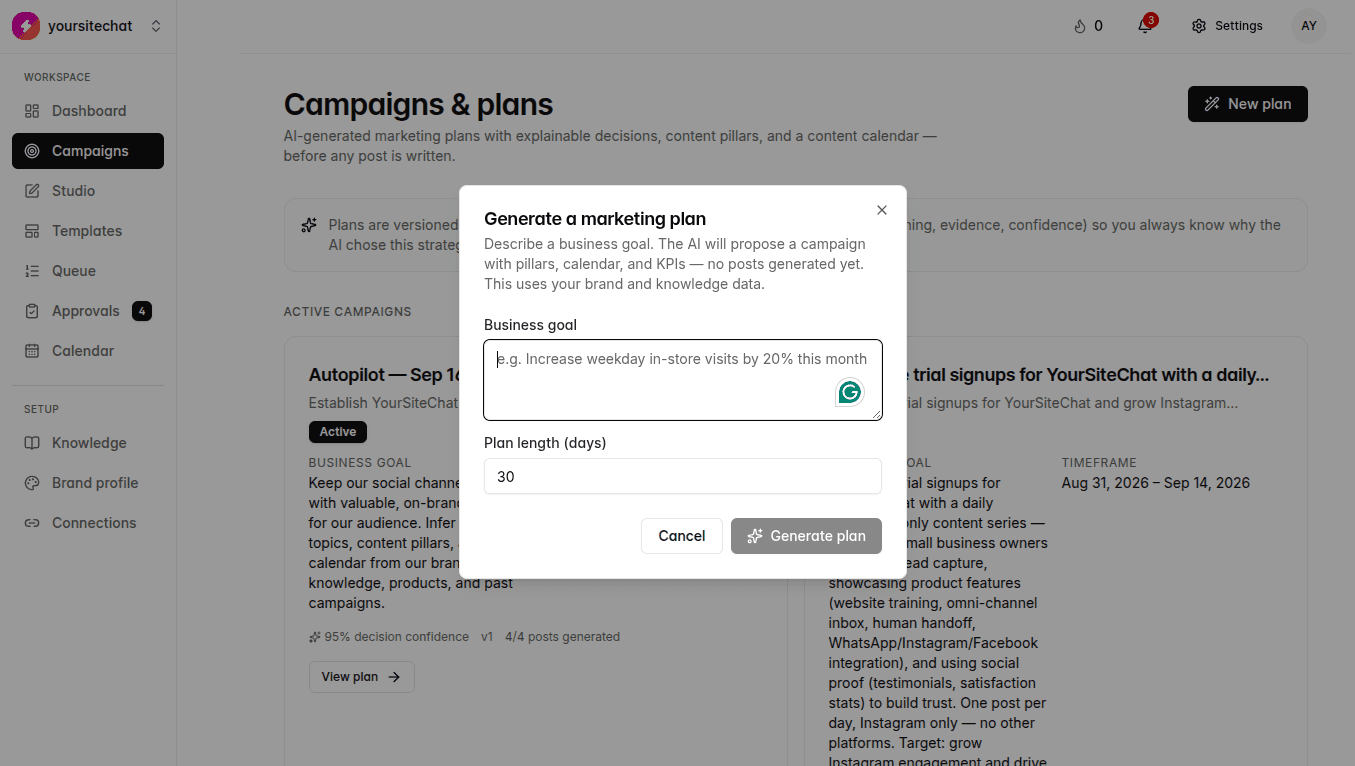
Turn a goal into a plan of posts. Autopilot batches also land here when you asked to see the plan before images start.
You are here: Left sidebar: Campaigns
A campaign is a goal plus a plan. You describe what you want. The product proposes days, topics, and platforms. You accept, edit, skip a slot, or throw the whole thing out. Autopilot uses this same screen when you chose “review the plan first.” Until you approve that draft, images do not start and a new Autopilot window will not begin.
When to use this
A launch, a single week, or an Autopilot plan waiting on you. For always-on posting, start Autopilot from Calendar. New plans here can run 7 to 120 days.
Badge colors on a campaign card
| On screen | Label | What it means | Example |
|---|---|---|---|
| Draft plan | The plan exists. You have not approved it yet. No images until you do. If Autopilot is waiting on this, Calendar says Autopilot paused. | You started Autopilot with “Off, review the plan first.” The card sits under Draft plans. | |
| Active | You approved the plan. Slots can generate. Posts move to Queue, Approvals, and Calendar as they are ready. | Northstar “Office 1kg” campaign after you hit approve. Images start filling the week. | |
| Completed | The window ended. Posts already scheduled still go out. Nothing new is generated on this campaign. | A 14-day Autopilot batch that finished last Sunday. | |
| Archived | Put away on purpose. It is not in the active or draft lists. Open it if you need the history. | Last quarter’s Diwali push, kept for reference. | |
| Failed (a slot, not the whole card) | One topic did not generate. The campaign can still be Active. Retry that row, or open it in Studio. | Tuesday LinkedIn slot shows Failed. The rest of the week is fine. |
Steps
- 1
Write a goal a person would understand
Vague: “increase engagement.” Better: “Get offices to start a biweekly 1kg subscription this month.” Eight characters minimum. Timeframe is 7 to 120 days.
- 2
Read the plan
Each row is a day, a topic, a platform. Skip a row you do not want. Change copy later in Studio. If this came from Autopilot with review first, images wait until you approve.
- 3
Approve, then watch the pipeline
Draft plan → Approve → Generate posts → Review → Publish. Generated posts land in Queue and Approvals. Calendar shows the same week as colored chips.
Notes
- The list splits into Active campaigns and Draft plans. Completed and archived sit further down.
- A slot can say Not generated, Generating, Needs review, Scheduled, Published, Failed, or Skipped. Needs review is the same yellow work as Calendar and Approvals.
- Create in Studio from a planned row if you want that one post by hand instead of waiting for Autopilot.
- Decision confidence on the card is the planner’s score, not a promise the post will perform.
What happens if you skip it
Skipping one-off campaigns is fine if Autopilot is on. Skipping both means you only post what you make in Studio.