
Approvals
A social media approval workflow where you set the bar.
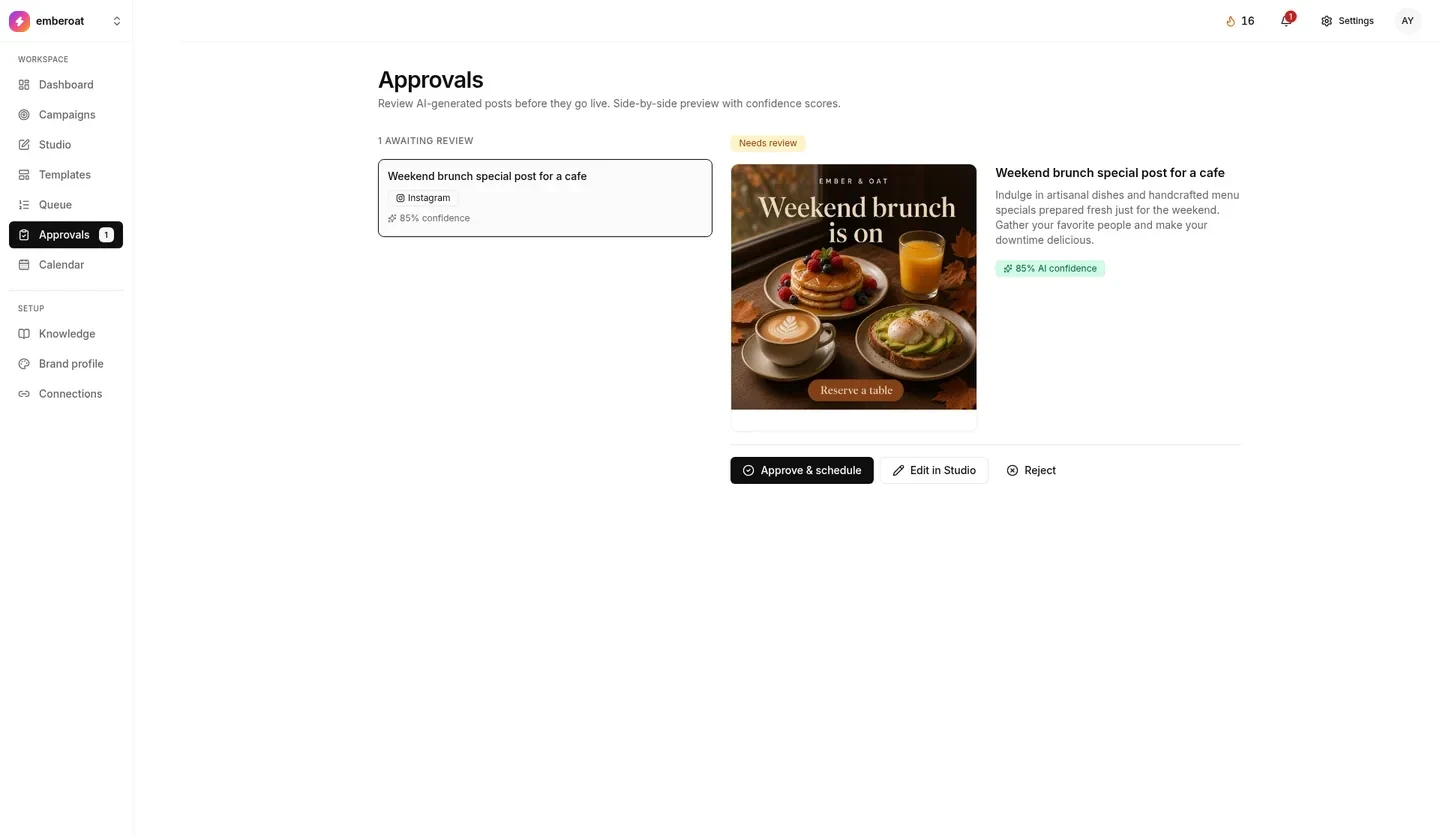
Approvals is where TheViralMarketing waits for your OK. Every post gets a confidence score, you choose the minimum for auto-approve, and anything below it waits for you here. With auto-approve off, every post waits.
- Safe start
- Manual review on both switches
- Auto-approve
- Only at or above your score
- Who can change it
- Owner or admin
Don’t mix these up.
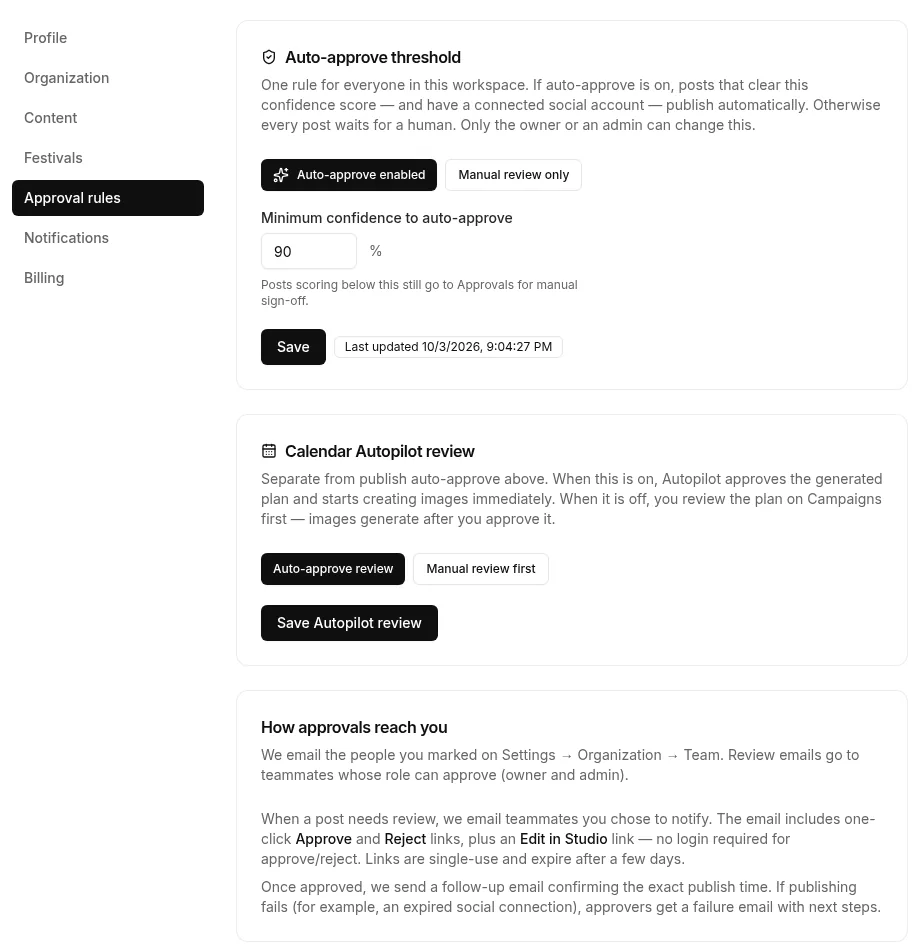
They live side by side in Settings → Approval rules, and they do different jobs.
Decides what can go live alone.
Auto-approve enabled: posts at or above your minimum confidence publish on schedule. Manual review only: every post waits in Approvals.
Decides if plans need you first.
Auto-approve review: Autopilot accepts its plan and starts images. Manual review first: the plan waits on Campaigns until you approve it.
Approve it from your inbox.
Set the rules once in Settings → Approval rules. Review emails go to the teammates whose role can approve: the owner and admins.
One bar for the workspace.
Set a minimum confidence, for example 90%. Posts that clear it publish on their own once a social account is connected. Or choose Manual review only.
Approve or Reject, no login.
When a post needs review, the email has one-click Approve and Reject links, plus Edit in Studio. Each link works once and expires after a few days.
A time, or a heads-up.
A follow-up email confirms the exact publish time. If publishing fails, for example because a social connection expired, approvers get an email with next steps.
Members create posts and plans but can’t approve. Viewers browse only. Team roles
Queue, Approvals, Calendar.
- Approvals is the waiting room. Approve, edit or reject.
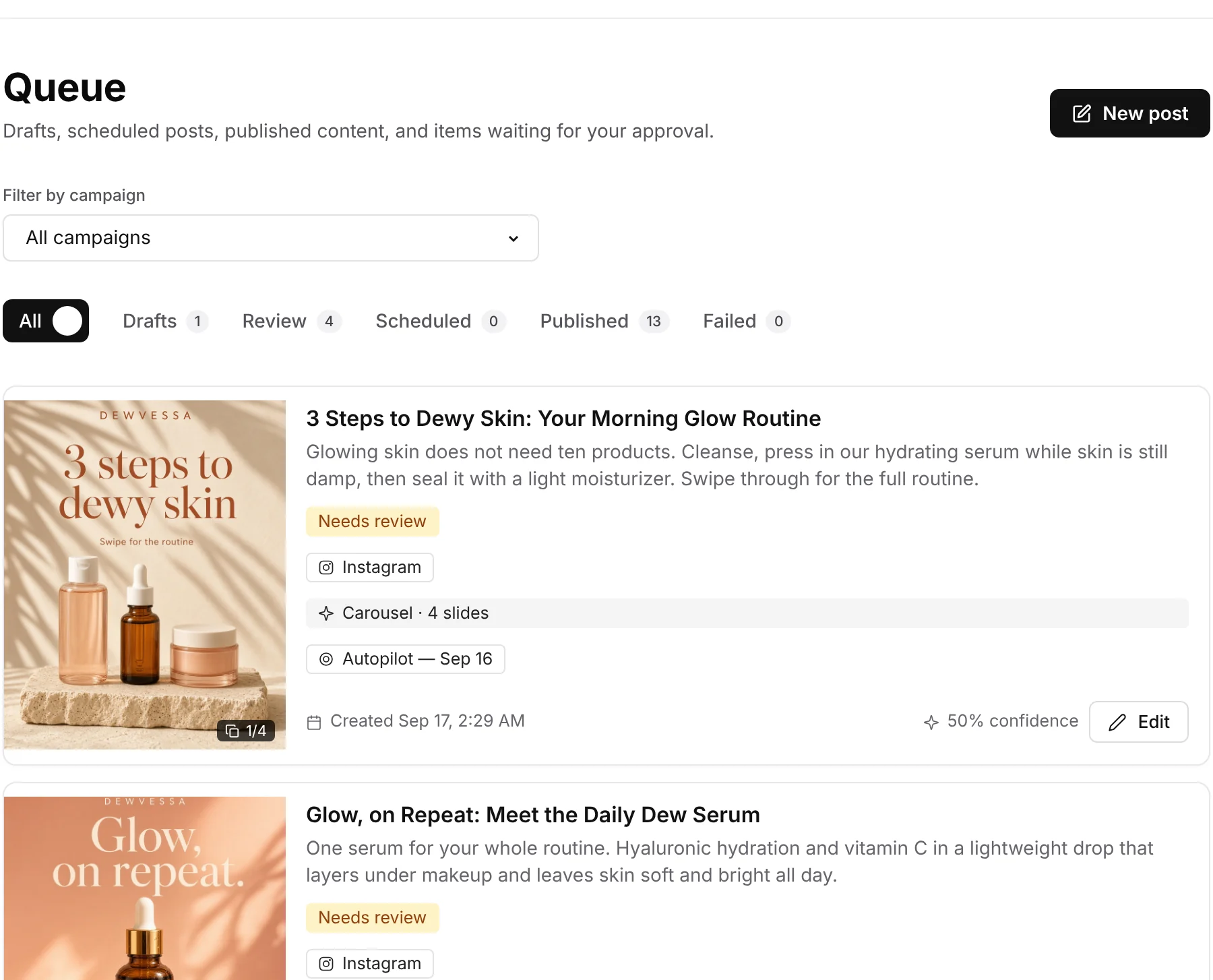
- Queue lists every post: drafts, in review, scheduled, published and failed.
- Calendar shows the month: black posts go live, amber ones need you.
Tip: check launch posts yourself, even if everyday posts are auto-approved.
Decide what waits for a person.
One settings page controls what you approve, when posts go through on their own and how you hear about it.
Every post before it goes live.
AI-made posts from Campaigns and Autopilot land in Approvals with an AI confidence score. Nothing publishes until it’s approved, by you or by your rule.
Set the minimum confidence.
Posts at or above your score, for example 90%, publish automatically if a social account is connected. Only an owner or admin can change it.
Or approve everything yourself.
Switch auto-approve off and every post waits in Approvals.
Review the plan, or let it run.
Choose Auto-approve review, or Manual review first: you check the plan on Campaigns, and images are made after you approve it.
Approve from your inbox.
Teammates whose role can approve get an email with one-click Approve and Reject, no login needed, plus a link to edit in Studio. Links work once and expire after a few days.
You get a follow-up when it’s scheduled, and an email with next steps if a post fails.
Approve in a click. Set the bar once.
A sample café post is approved, then the approval rules are set.
Trust, then automate.
Manual everything.
Review the plan on Campaigns. Approve posts one by one.
Fix the source.
If posts don’t sound right, update Brand voice and Knowledge instead of fixing each caption.
Let plans through.
Switch Autopilot review to auto. Keep post review manual.
Set the bar.
Turn on auto-approve with a high threshold. Glance at Approvals daily.
Watch Approvals for a week before you turn auto-approve on. After that, posts that clear your bar publish on schedule to Instagram, Facebook and LinkedIn.
Questions, answered straight.
Who can change approval rules?
Only the workspace owner or an admin. Everyone else can see them.
Does a high score publish without a connected account?
No. Auto-approve only publishes when a social account is connected. A high score isn’t enough on its own.
If I turn off notifications, does that auto-approve posts?
No. Posts still sit in Approvals, just without the ping.
What should I start with?
The cautious side: Manual review only for posts, and Manual review first for Autopilot plans. Loosen it after a week of drafts you like.
Approvals sits at the centre of Autopilot and Campaigns. Running social for clients? See how agencies use approvals. Setting up a team process? Read a simple social media approval workflow, or check pricing: approvals are on every plan.
Automate it. Keep the veto.
Start on manual review. Turn the dial when you’re ready.
14 days free · no credit card