01

Create your account.

Your name, email, password and an organization name. That creates your first workspace and starts the 14-day trial. No card.

→ Verify your email so Knowledge can save.
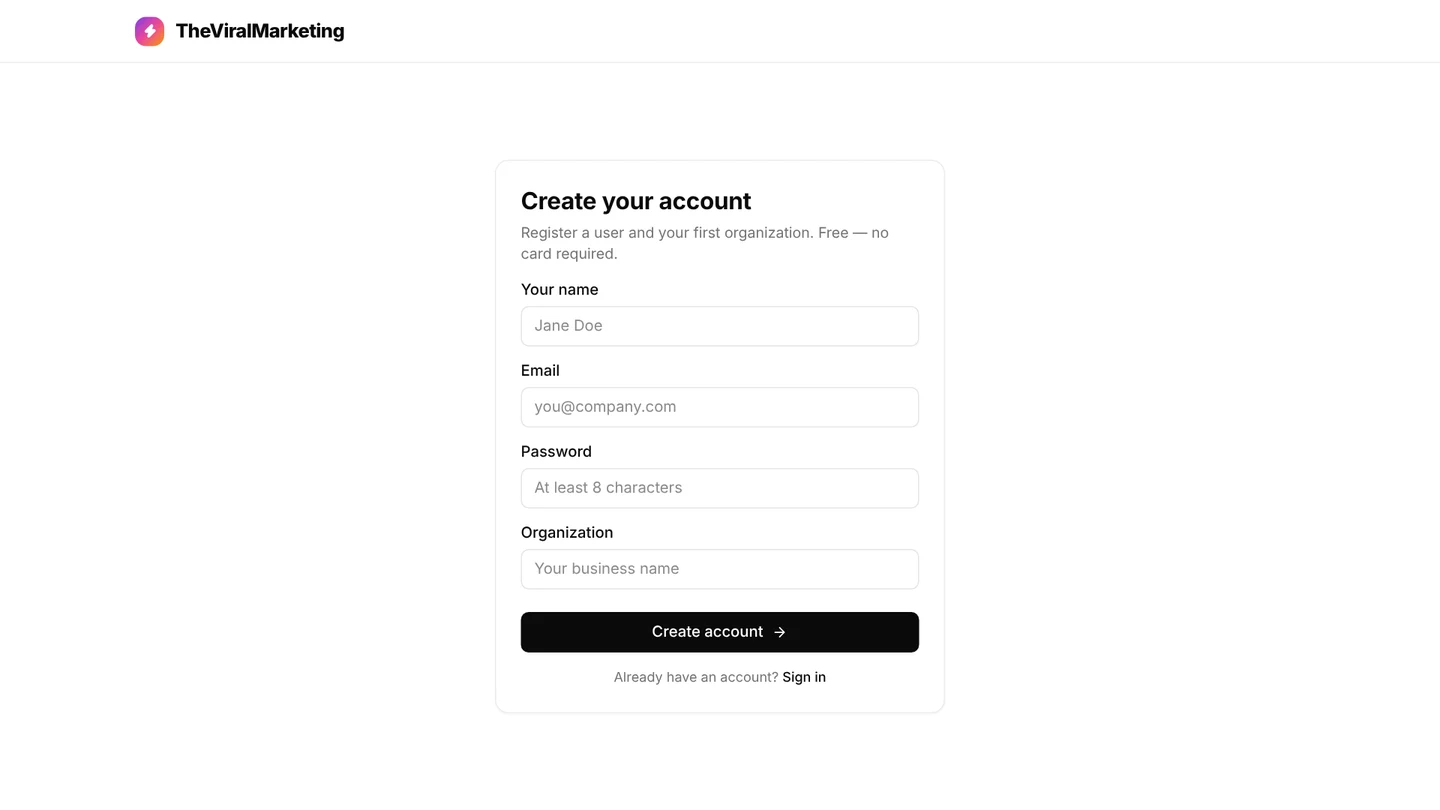
Create your account form with name, email, password and organization fields, centred
02

Fill in your brand profile.

Name, industry, website, a short description, value proposition, tone, primary color, logo, products and goals. Captions and images read this first.

→ Two or three plain sentences beat a slogan.
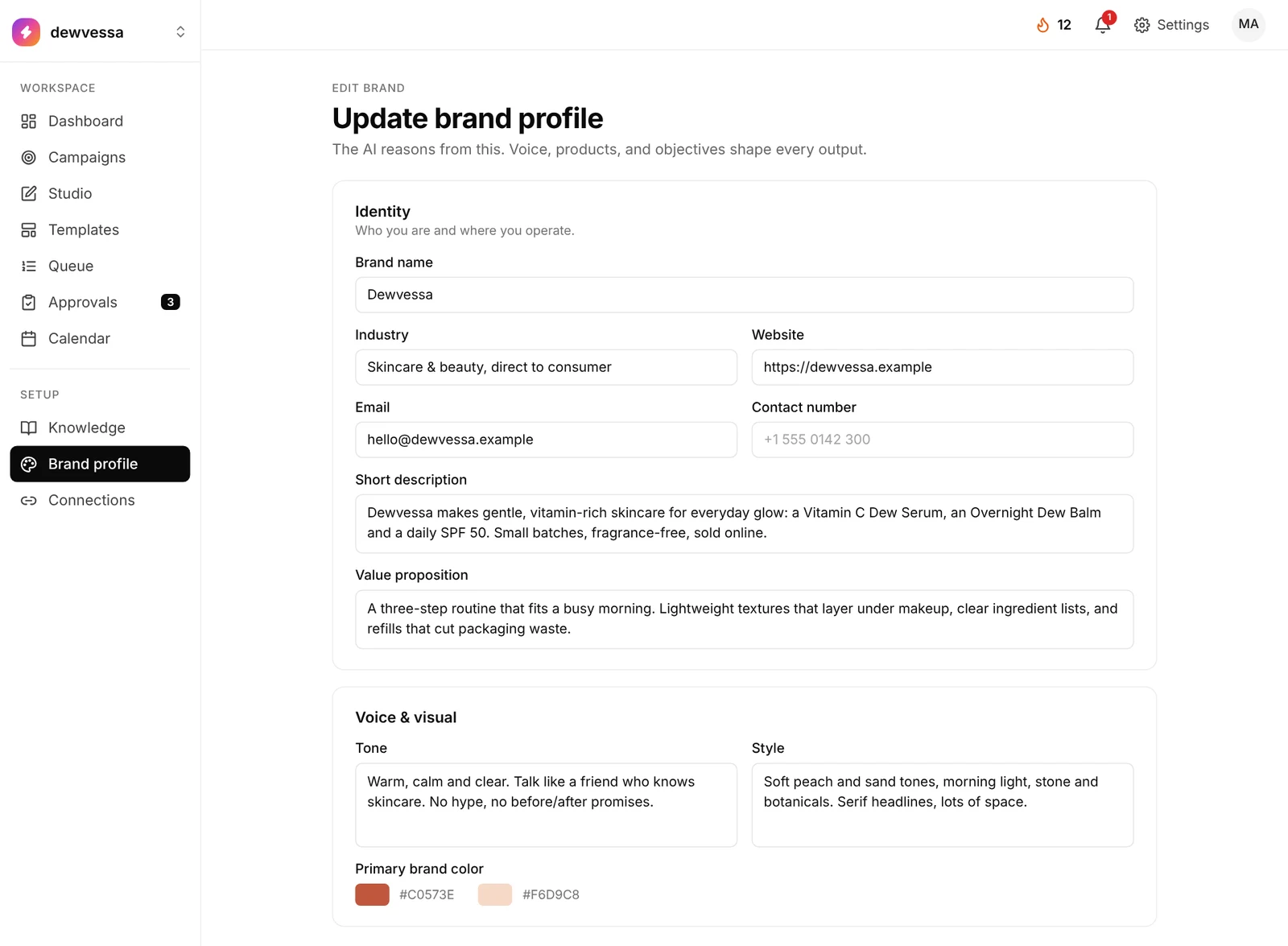
Brand profile for the sample skincare brand Dewvessa: identity, short description, tone of voice and primary brand color
03

Add a little knowledge.

Eight areas, each with its own form: business profile, products and pricing, audience, voice and policies, reviews, competitors, updates, social and press.

→ Start with Products and Brand voice.
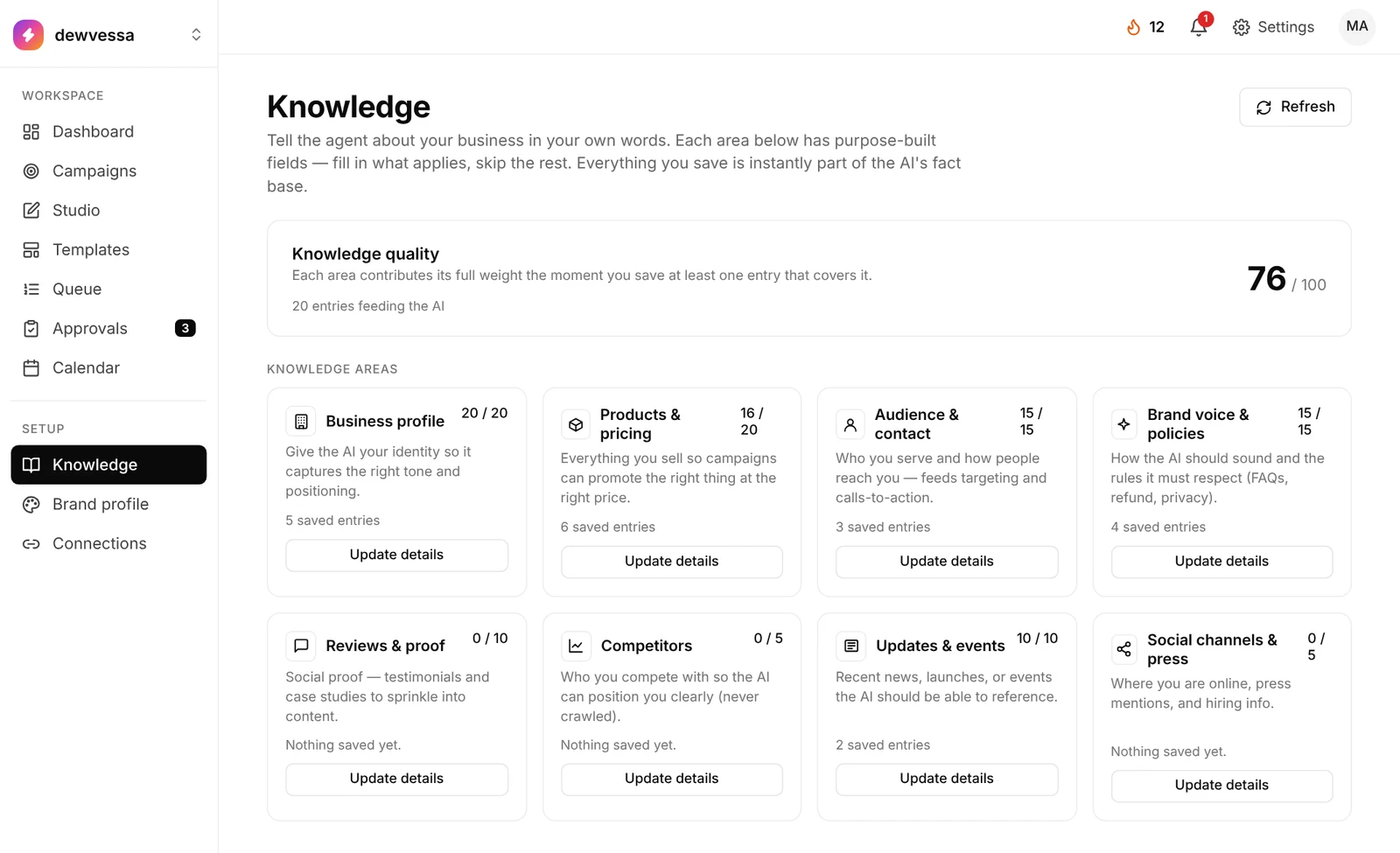
Knowledge for the sample brand Dewvessa with a 76 out of 100 quality score and eight knowledge areas
04

Connect one network.

Instagram, a Facebook Page or LinkedIn. One is enough to publish. Each workspace keeps its own connections.

→ You can draft without it. You can’t publish.
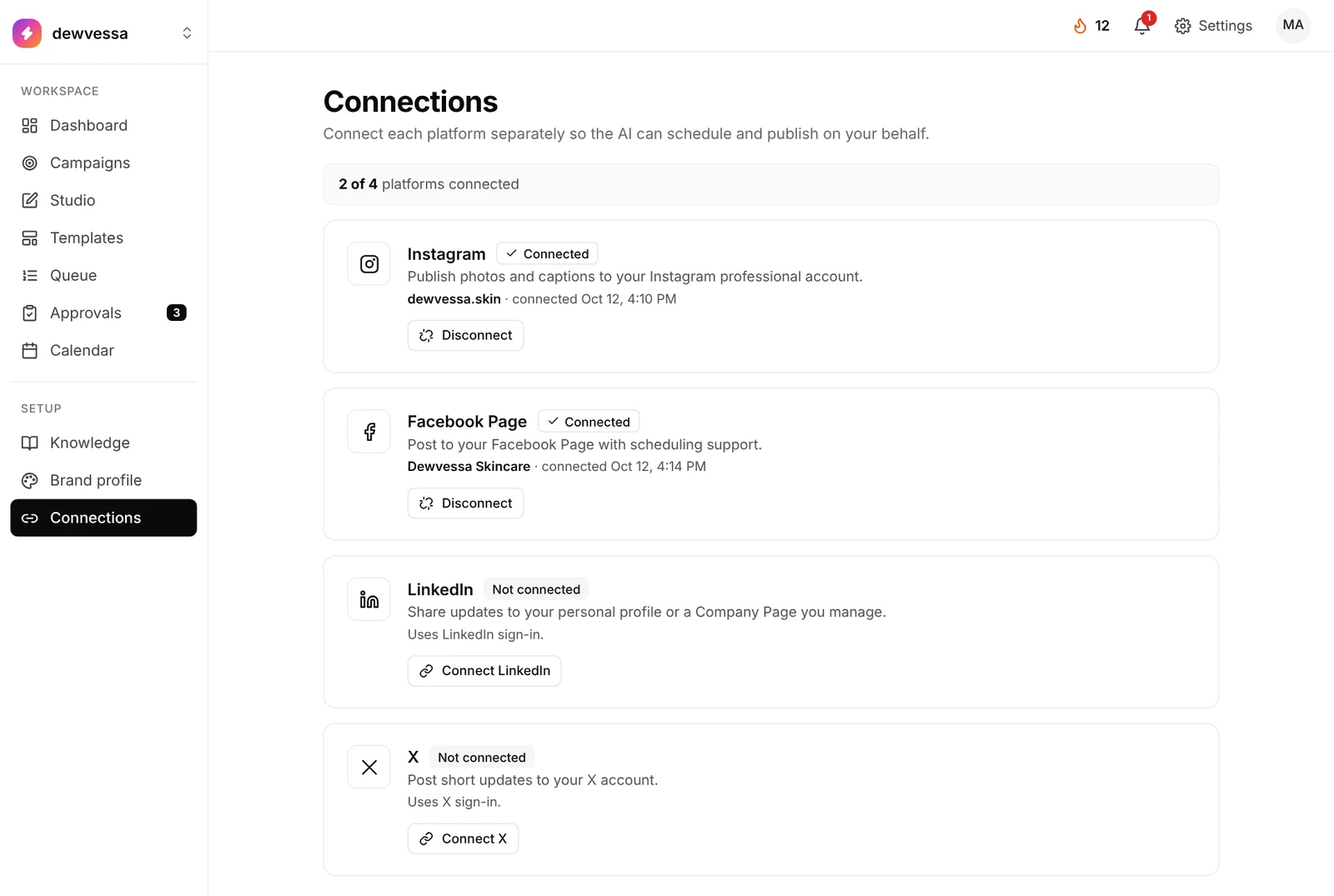
Connections for Dewvessa: 2 of 4 connected, Instagram and a Facebook Page
05

Start Autopilot, or one campaign.

On Calendar, click Autopilot and pick a start date, posting time and 7, 14 or 30 days. Or describe one goal on Campaigns.

→ First week: keep “make images right away” off and read the plan.
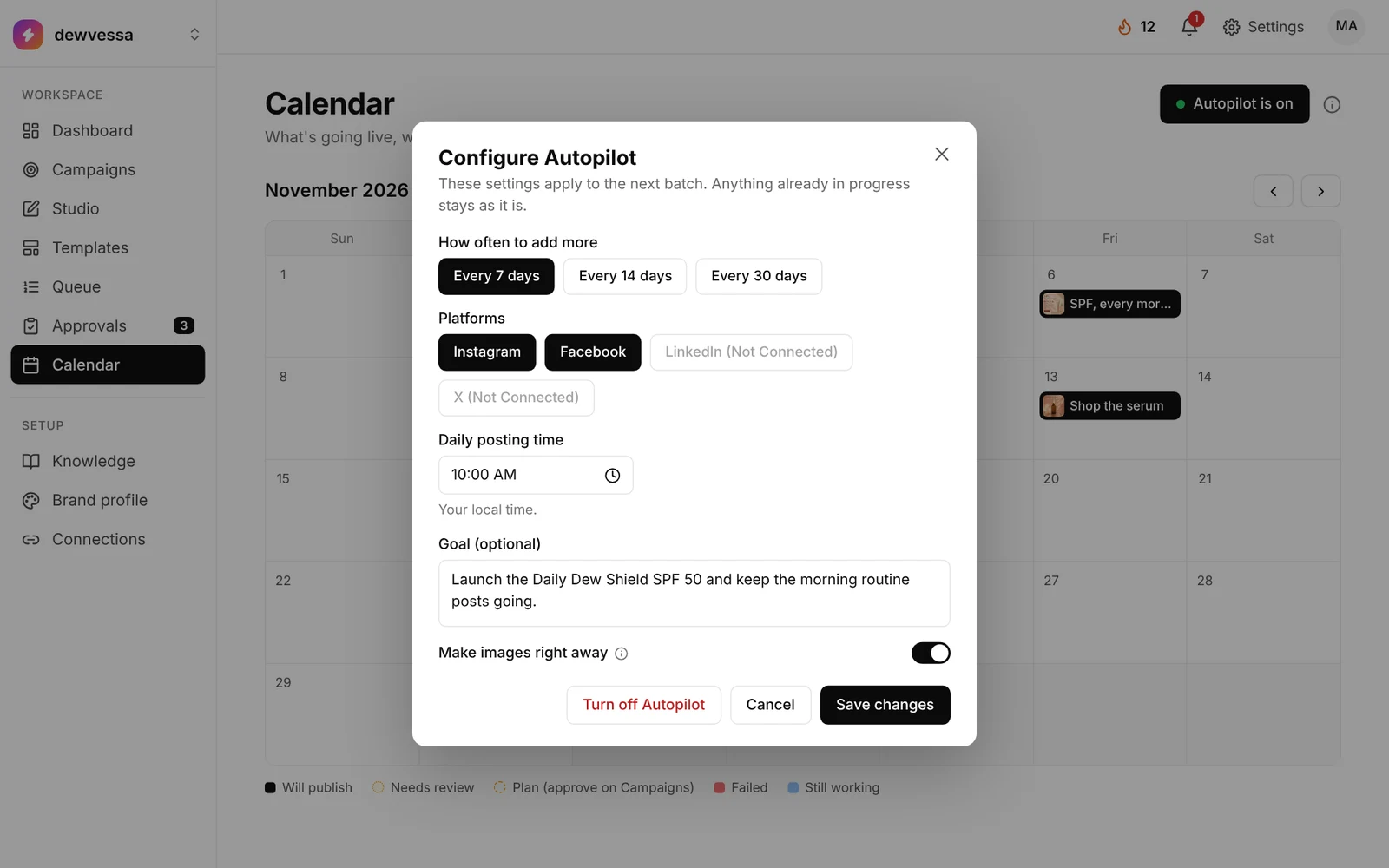
Configure Autopilot for Dewvessa: every 7 days, Instagram and Facebook, 10:00 AM, a goal and Make images right away
06

Review, then publish.

Drafts land in Queue and Approvals with a confidence score. Approve, edit in Studio, or reject. Approved posts go out on schedule.

→ Watch Approvals for a week before turning on auto-approve.
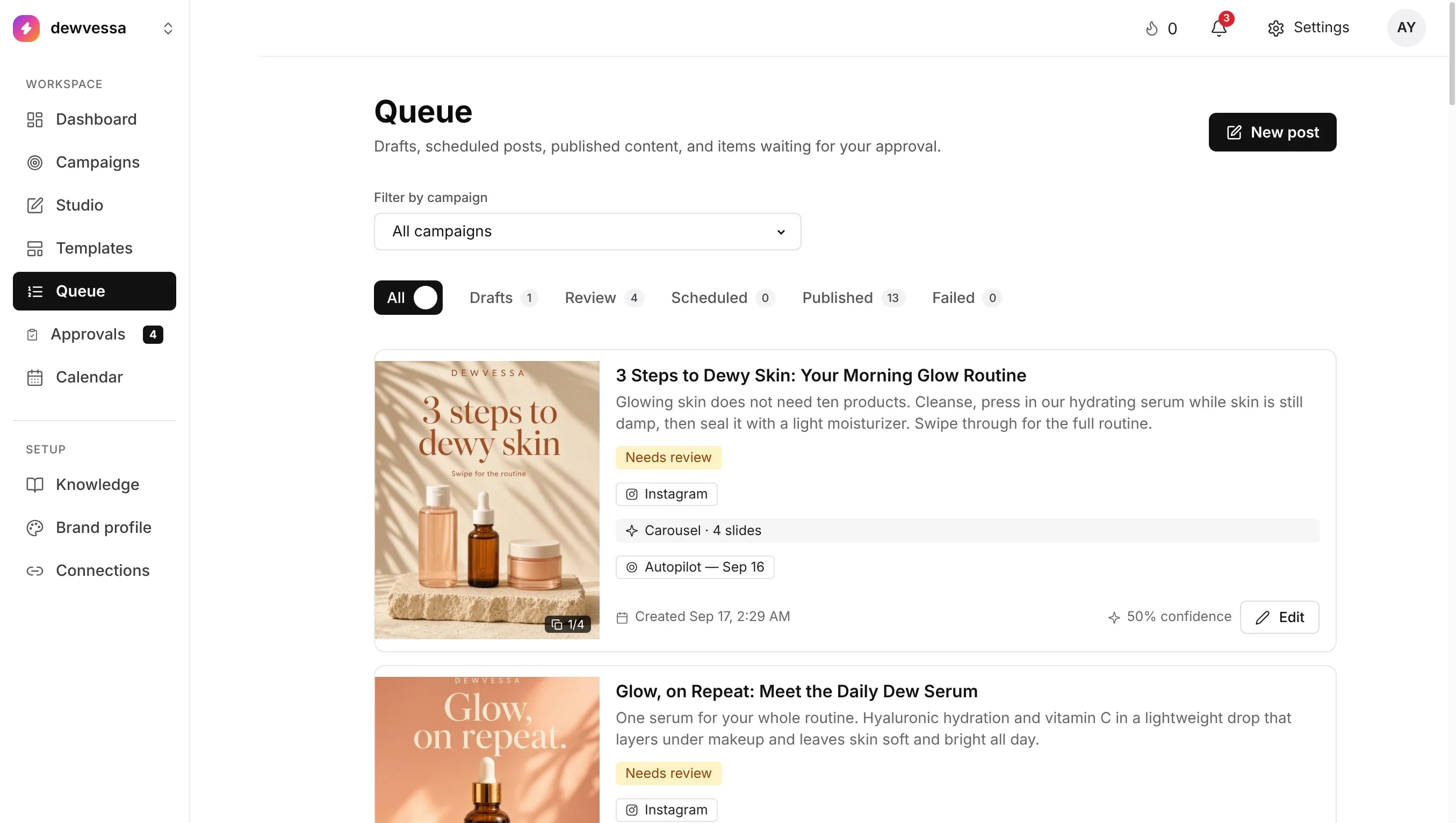
Queue for the sample skincare brand Dewvessa: posts that need review, each with its format, platform and AI confidence
app.theviralmarketing.co
Create your account form with name, email, password and organization fields, centredBrand profile for the sample skincare brand Dewvessa: identity, short description, tone of voice and primary brand colorKnowledge for the sample brand Dewvessa with a 76 out of 100 quality score and eight knowledge areasConnections for Dewvessa: 2 of 4 connected, Instagram and a Facebook PageConfigure Autopilot for Dewvessa: every 7 days, Instagram and Facebook, 10:00 AM, a goal and Make images right awayQueue for the sample skincare brand Dewvessa: posts that need review, each with its format, platform and AI confidence
The whole setup

Six steps in 18 seconds.

Setting up a sample skincare brand, from sign-up to a full calendar.

01 Account02 Brand03 Knowledge04 Connect05 Autopilot06 Review
After you turn on Autopilot

What a filling calendar looks like.

Once Autopilot is on, the empty month fills with drafts and scheduled posts. Amber posts still need your review. The rest will publish at your posting time.

Want to see Autopilot being set up? Watch it on the AI social media automation platform page.

An empty month fills one day at a time as Autopilot schedules a post for each day.
What to fill first

The smallest setup that still sounds like you.

MUST

Account + brand profile

Verified email. Name, description, tone, at least one product and one objective.

SHOULD

Three knowledge areas

One real product, a few sentences of voice, and who you sell to.

THEN

One connection

Start Autopilot or one campaign. Watch Approvals for a week.

LATER

The rest

FAQs, policies, proof, competitors, updates. Add them when you have the facts.

FAQ

First-week questions.

Do I need to fill in every knowledge area first?

No. Brand profile, one real product and a few sentences of voice are enough to generate. The rest makes posts sound more like you.

Why can’t I save Knowledge?

Verify your email first. Until then the knowledge forms stay locked, though you can still fill in Brand profile.

Why is everything sitting in Approvals?

Manual review only is on in Settings → Approval rules, so every post waits for you. Turn on auto-approve when you like the drafts.

Captions sound generic. What do I fix?

Update Brand voice and your do’s and don’ts, add a real product, then make the post again.

Ten minutes of setup. A month of posts.

Start the trial, fill in your brand, connect one account.

14 days free · no credit card